Hi there!
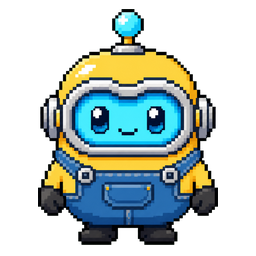
Bubbles, your floating AI assistant for macOS.
A tiny desktop companion that helps you think, search, speak, remember, and get work done with MiniMax-powered intelligence.
Available for macOS.
What is Bubbles?
Watch how Bubbles transforms your desktop workflow with AI-powered assistance.
Key Features
A thoughtful companion that lives on your desktop and adapts to your workflow.
Always nearby
A floating assistant avatar on your desktop, ready whenever you need it.
Workspace aware
Memory, local context, and approved tools that understand how you work.
MiniMax powered
AI tasks, voice, and creative workflows driven by direct MiniMax APIs.
API Setup Guide
Configure your API keys to unlock all of Bubbles' capabilities. All keys are securely stored in macOS Keychain.
| Key | Required | Provider |
|---|---|---|
| MiniMax Token Plan | Yes | MiniMax |
| Tavily API | Yes (for research) | Tavily |
| Gemini STT | Yes (for voice) | Google AI Studio |
| OpenAI STT | Optional | OpenAI |
Used for: Chat, text/JSON generation, research synthesis, image/music/video generation, TTS, agent birth
How to get a key:
- 1Go to minimax.io and create an account.
- 2Navigate to your API dashboard and generate a Token Plan API key.
- 3The key typically starts with sk-cp-...
Key format: sk-cp-...
Used for: Live cited web research via Tavily Remote MCP
How to get a key:
- 1Go to tavily.com and create an account.
- 2Generate an API key from your dashboard.
- 3The key typically starts with tvly-...
Key format: tvly-...
Used for: Primary speech-to-text transcription
How to get a key:
- 1Go to Google AI Studio.
- 2Create or select a project.
- 3Generate an API key for the Gemini API.
Used for: Fallback speech-to-text (recommended for reliability)
How to get a key:
- 1Go to platform.openai.com.
- 2Navigate to API keys and generate a new key.
- 3Recommended as fallback even if Gemini is primary.
Secure Storage: All API keys are stored in macOS Keychain — never in config files, environment variables, or repository files.
Built around direct MiniMax APIs for task execution, voice playback, and creative workflows.
Ready to meet your new desktop companion?
Start working smarter with Bubbles by your side.
Download for macOS